Pay Gap Alerts & Anomalies
Know about a pay gap before someone asks you about it.
Evenpay watches your pay data continuously and tells you when a gap crosses your threshold. Every alert separates what objective factors explain from what still needs a decision.
45 minutes. See monitoring on a live data set.
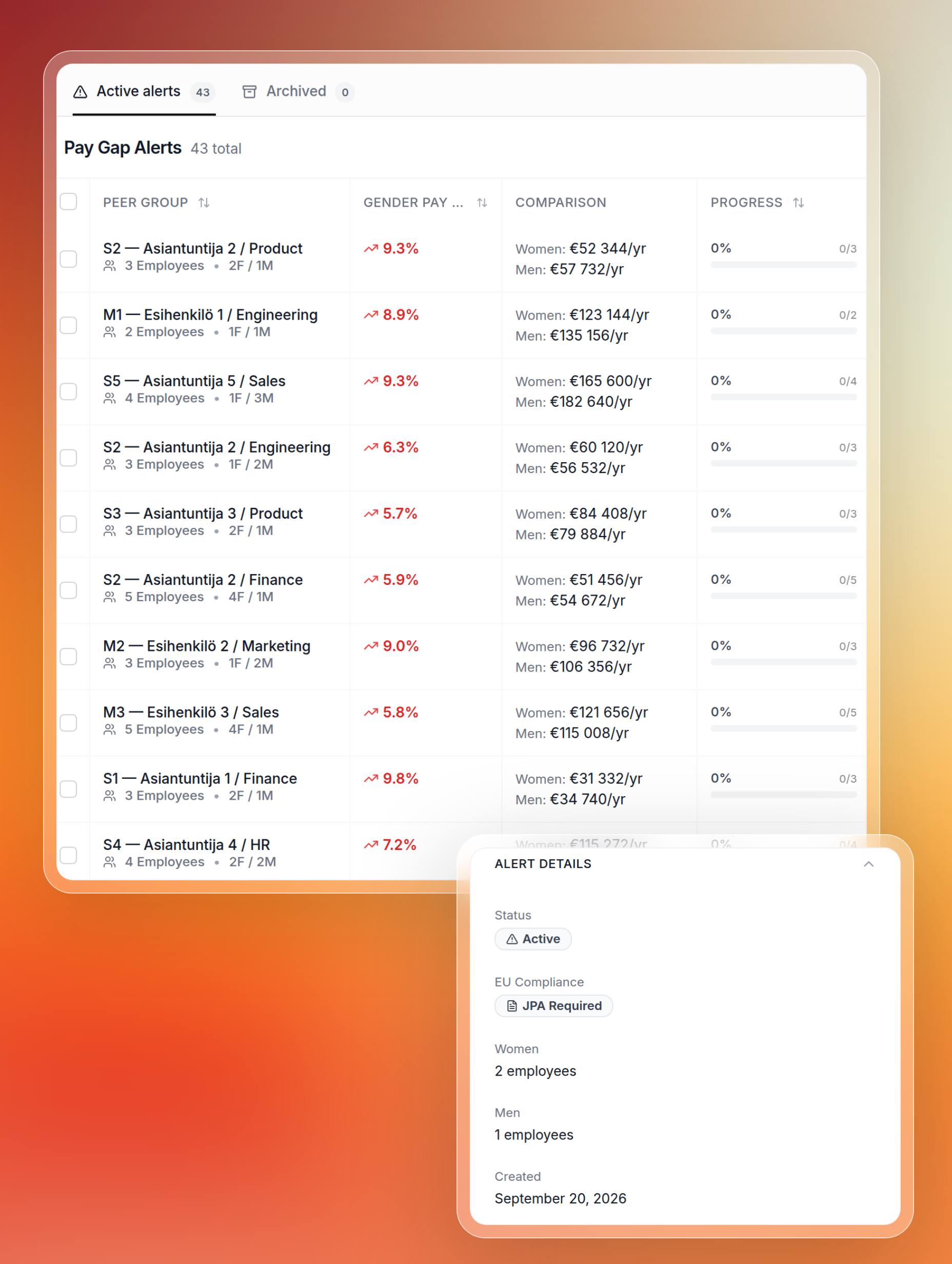
The module that turns reporting into monitoring.
Nobody has to run a report to find out
Alerts are generated whenever a pay gap crosses your organisation's threshold, five percent by default and configurable. You learn about a gap when it appears, not when a reporting deadline forces you to look.
- Threshold set by you, five percent by default
- Runs against live data, no manual analysis cycle
- Surfaced in the product rather than buried in a file
Group level and individual level alerts
Group alerts cover positions, job levels and job families, built on the equal value groups from your job architecture. Individual alerts compare one employee's pay against the opposite gender median in their own peer group, so a single person's situation does not disappear into an average.
- Group alerts by position, job level and job family
- Individual alerts against the peer group median
- Each individual alert shows where pay sits against the position's salary band
Explained, documented, and what is left
Every individual alert carries an adjusted analysis: how much of the gap objective factors explain, how much existing justifications already document, and how much remains unexplained and needs action. Most tools show only the raw number.
- Objective factors such as experience, tenure and skills quantified
- Existing justifications counted toward the explanation
- The remainder stated plainly, so you know what to act on
Significance testing keeps the noise out
This is not a black box. Detection is statistical: thresholds, regression decomposition and significance testing, so a two person team with one high earner does not generate a false alarm you have to explain away.
- Significance testing on every comparison
- Small samples flagged as inconclusive rather than alarming
- Method you can describe to a works council
From signal to documented decision
An alert is only useful if it leads somewhere. This one leads into the justification flow.
Set your thresholds
Choose the gap threshold and minimum group size that matter for your organisation.
Evenpay monitors continuously
Group and individual comparisons run against live data.
An alert arrives with context
Explained, documented and unexplained portions, with significance.
Document or adjust
Move straight into a justification, or plan a pay adjustment.
Common questions about pay gap alerts
Alerts connect to the rest of the workflow
Pay Gap Justifications
Go from an alert to a documented, audit safe rationale in one flow.
Intelligence
The regression engine and the Pay Gap Matrix behind every decomposition.
Pay Transparency & Reports
The same numbers, assembled into directive aligned reporting.
Job Architecture
The levels and equal value groups that decide who is compared with whom.