On 7 June 2026, the deadline for EU member states to transpose the Pay Transparency Directive into national law passed. And member states are still finalizing their legislation. The direction is the same everywhere, though. Employees are gaining the right to ask about their pay, and employers need real answers.
Fittingly, June was also the busiest shipping month in Evenpay’s history. We shipped over 80 updates: branded pay information request portals for multi-entity groups, location and age as pay factors with documented reasoning, a job evaluation framework library including the gender-neutral EIGE model, custom fields that calculate themselves, and the scale to handle organizations of 50,000 employees and more.
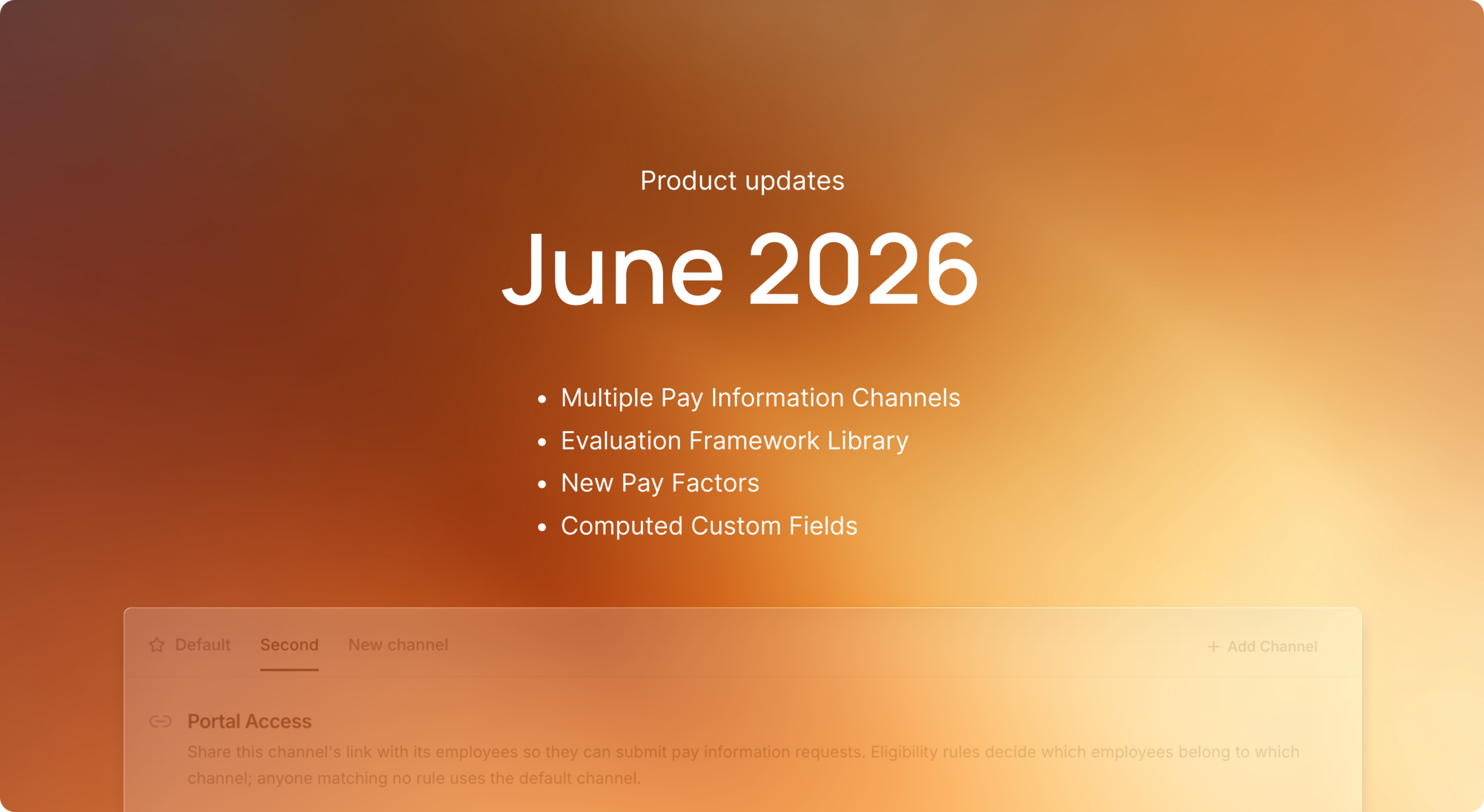
This is the first post in our monthly product update series. From now on, you’ll find one of these here every month. Here’s June at a glance, then the details.
June at a glance
| Area | What’s new |
|---|---|
| Pay information requests | Branded request portals per legal entity, one-click reminders, reports in the employee’s own currency and language |
| Pay equity analysis | Location and age as pay factors, your own custom factors, a written rationale for each, and strength labels with evidence on every explanation |
| Job architecture | Job evaluation framework library incl. the EIGE model, three pay band generation methods, positions that split by the attributes that make roles distinct |
| Custom fields | Computed fields driven by formulas, and salary components that read your custom fields |
| Scale | Imports of up to 100,000 rows, background analysis with live progress, instant search across your whole workforce |
| Privacy | GDPR data access requests answered in a couple of clicks |
Pay information requests, end to end
The right to request pay information is the part of the directive employees will actually use, so we made the whole journey work the way your organization does.
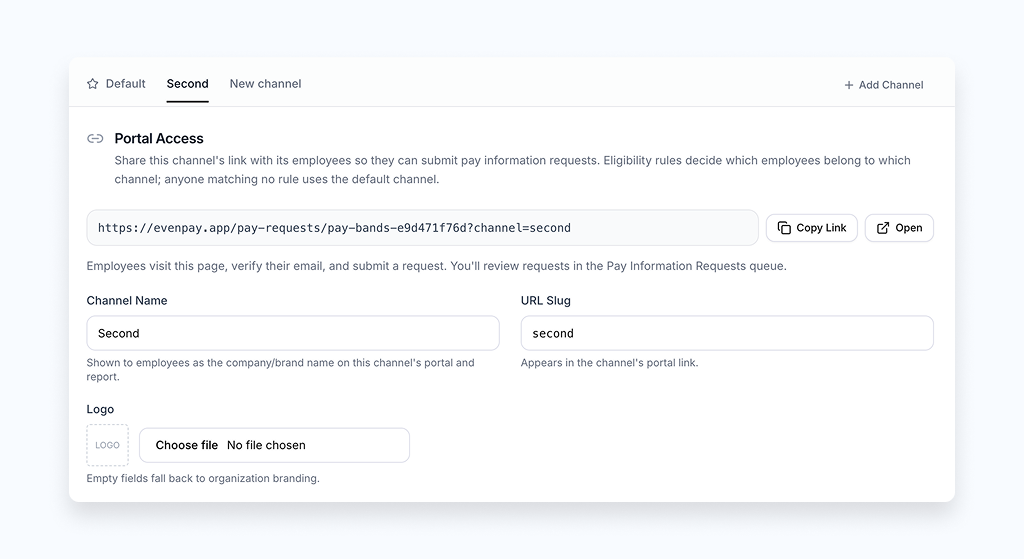
If your group operates several brands or legal entities, each one now gets its own pay information channel: its own portal link, logo, colours, email templates, and default language. Routing rules decide which channel each employee lands in, so a group with three brands runs three tailored request flows from one place. Reports reach employees in their own currency, converted at the latest ECB rates with a dated disclosure on the report itself. You can also send a copy to the employee’s direct manager through the same secure, verified flow.
The report itself now speaks your language, too. Rename any section, add explanatory subtitles, and include education alongside experience, tenure, and performance, each shown as a privacy-safe “below, at, or above the median” standing rather than anyone else’s figures. The gender comparison can break down by pay component, and before you send, the disclosure basis panel shows the exact comparison group behind the report: its size, the anonymity threshold it clears, and its gender balance. When a comparison group is small enough that a direct answer could identify someone, Evenpay flags it up front and offers delivery via an employee representative.
And to get requests flowing in the first place, one click sends every eligible employee a templated reminder email with a button that takes them straight to your request portal.
In short: from the employee’s first click to the delivered report, pay information requests run under your brand, in the employee’s language and currency, with the anonymity checks handled for you.
Pay equity analysis you can defend
A pay equity analysis is only as good as your ability to stand behind it. June was about making every part of the explained-versus-unexplained breakdown defensible.
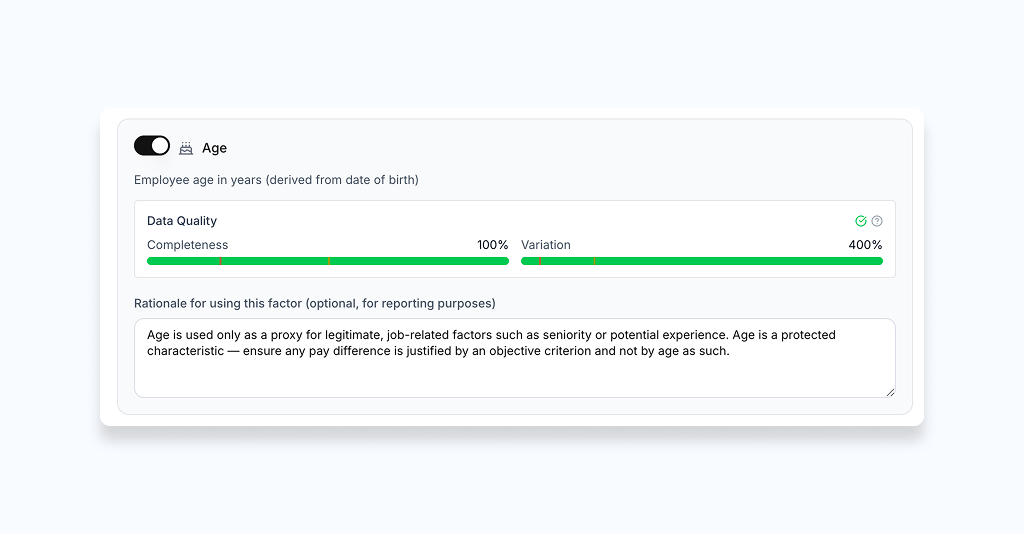
Location and age joined the built-in pay factors. Add location at the granularity that fits: country, country plus city, or city. Add age where it stands in for a legitimate factor such as seniority. You choose whether experience comes from imported experience years or is derived from age, and you can write a rationale for every factor you use. That rationale flows straight into the pay information report as reporting evidence, so the reasoning behind your analysis is as visible as the numbers.
Your own factors count as well. Any custom field you track, whether a numeric value, a yes/no flag, or a category like pay group, can feed directly into the regression-based decomposition alongside job family, level, and the other built-in factors.
And when a gap has been explained, you can now see how solid that explanation is. Every pay-gap rationale carries a Strong, Partial, or Weak label, weighted by the employees who actually drive the gap. You can attach the supporting documents and notes behind each reason, stamped with who added them and when.
In short: your analysis now reflects how your organization actually sets pay, and every explanation carries its reasoning and evidence with it.
Job evaluation, ready to go
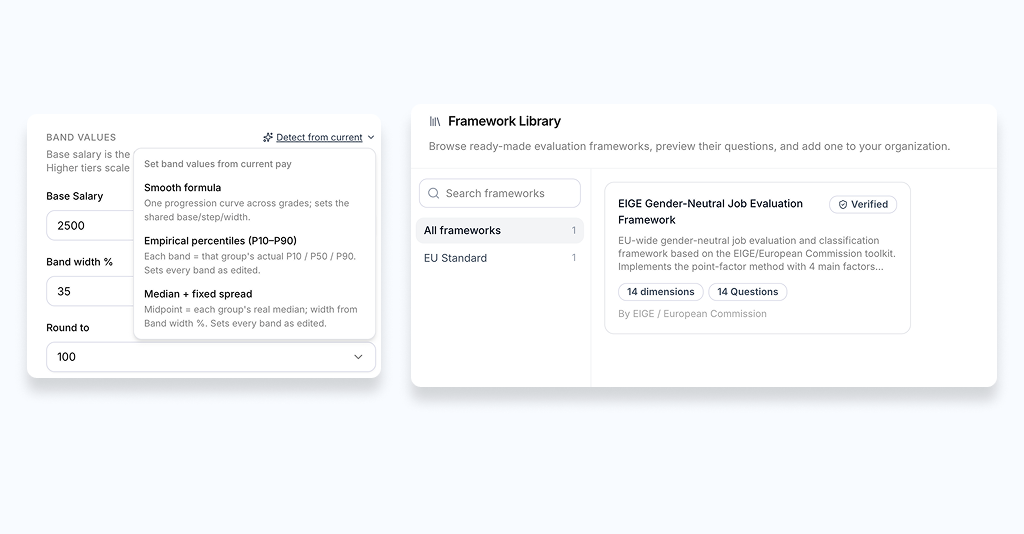
Defining work of equal value starts with a credible evaluation framework, and building one from scratch is where many projects stall. The new framework library lets you start from a proven model instead: browse the options, preview the full structure and its questions, and adjust sections, questions, and weights before you apply it. The library includes the gender-neutral EIGE framework with its four factors and fourteen sub-factors, so you can put a recognised, defensible evaluation model to work in minutes.
Pay bands got the same treatment. The Generate Pay Bands wizard now offers three methods: a smooth regression-based formula, empirical percentiles drawn from your real salaries, or a median with a fixed spread. You can split bands by any custom field, and every variant previews with your employees plotted as dots against each band, with a per-component salary breakdown on hover.
Job architecture grew sharper edges elsewhere, too. When the same job title covers different teams, levels, or locations, imports can split it into distinct positions, each with its own pay band and pay-equity cohort. A position staffed across several countries shows every band it maps to side by side, in your organization’s display currency. And grades can now be grouped into colour-coded, collapsible sets with bulk editing straight from the level-mapping grid.
In short: a defensible job evaluation and realistic pay bands no longer require a months-long project. Start from a proven framework and shape it to your organization.
Custom fields that do the math
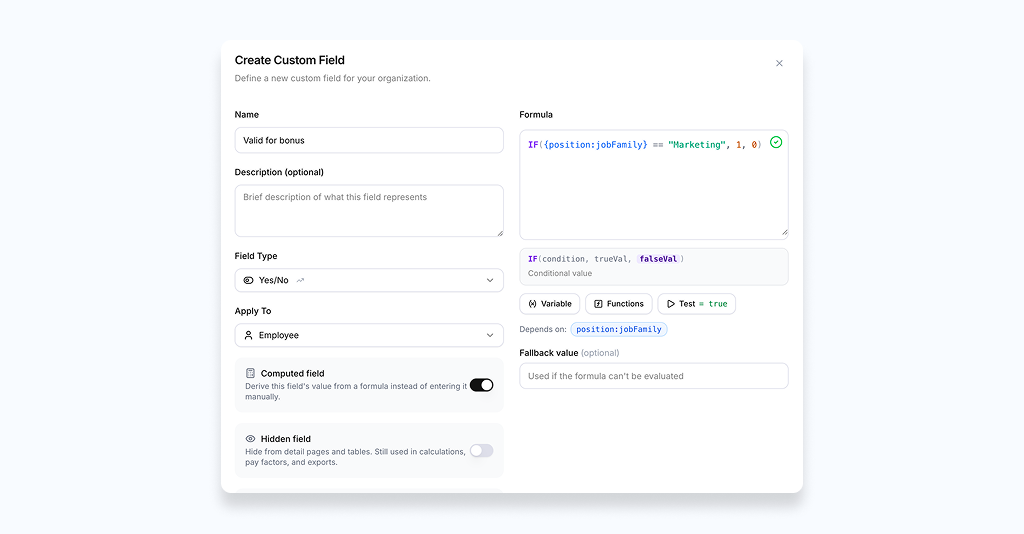
Bonus caps, eligibility flags, and the other compensation rules most companies keep alive in spreadsheet columns can now live in Evenpay and compute themselves.
Computed custom fields derive their value from a formula instead of manual entry. They work across employees, positions, job levels, families, grades, and org units, and recalculate as their inputs change. A function library with logic like IF, IFS, AND, and OR, plus text helpers, covers the rules you actually use, and helper fields that feed a calculation can stay hidden from your tables while still doing their job. Percentage and currency joined the available field types.
Salary components take it further: component formulas can reference custom fields across your whole job architecture, with spreadsheet-style functions and a built-in tester. The logic you built in a workbook becomes a living part of your compensation structure, computed for every employee.
Built for 50,000 employees and more
June’s less visible theme was scale. Employee imports now take files of up to 100,000 rows. Upload, follow the progress live, and pick up a row-by-row report of anything worth a second look, while everything valid lands straight in your job architecture. On re-import, you decide field by field whether to update, leave alone, or clear.
Pay equity analysis runs in the background while you work: the sidebar shows each stage as it progresses, from loading data to training the regression model to building insights, with an estimate of time remaining and a cancel button. The employee overview searches your entire organization server-side, so typing a name finds the right person whether they’re at the top of the list or fifty thousand rows down, and a new job-level filter narrows the view to exactly the population you’re working with.
Answer a GDPR access request in a couple of clicks
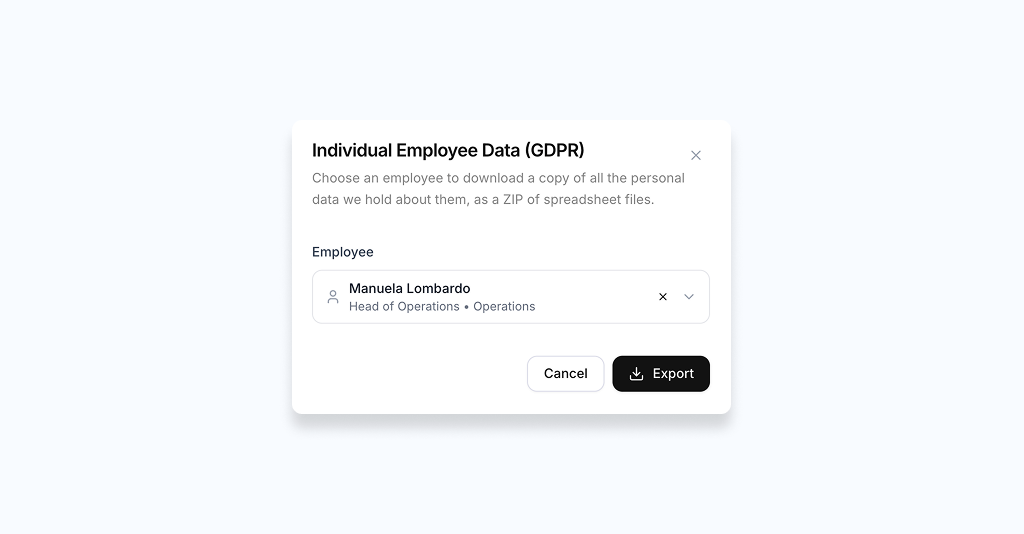
When an employee asks what you hold about them, you can produce it straight from their profile. Evenpay assembles a single download covering their profile, current pay, salary history, reviews, justifications, and pay-equity results, each as a clearly labelled file with a plain-language summary, so the person receiving it can actually read it.
Improvements and fixes
The long list, grouped so you can skim to what’s relevant to you.
Pay equity and scenarios
- The combined pay gap is now computed from a single salary set rather than a product of proportions, and cross-currency salaries are normalized in cohort gap math and displayed in your organization’s currency.
- Scenario filters, including custom fields and “is none of” / “is empty” conditions, are now applied consistently in analysis runs, and per-component scenario edits apply as deltas instead of replacing the full compensation.
- Scenario activation no longer double-counts deltas, applies rationale tags after activation, and uses a mean-based gap basis. A new “Only changed” view takes you straight to the people a scenario actually moves.
- Alert counts now match the work-of-equal-value thresholds, archived pay gap alerts can be deleted, and new pay rationale tags default to draft.
- The baseline analysis got noticeably faster through leaner default factors and deferred post-processing.
Imports and setup
- Updating employees via import now merges compensation instead of wiping it, and employee and position CSV imports were consolidated with field-by-field update control.
- Quick Setup imports are idempotent, no longer blocked by a handful of imperfect rows, and let you add or edit compensation components and benefits inline during field mapping.
- CSV employee imports got significantly faster through reduced per-row work and bounded concurrency.
Performance, reliability, and security
- Fixed a production API latency issue caused by event-loop blocking, hardened encryption-service retries, and cached job-level statistics for faster page loads.
- Sign-in now runs through our own Auth0 custom domain with additional identity hardening, and a full dependency security sweep resolved all critical findings.
- Removed a third-party chat widget in favour of lighter, first-party tooling, and closed several audit logging gaps.
Everyday UI
- The employee compensation tab lays out recurring pay, one-time bonuses, and what counts toward each pay band side by side.
- Wide tables keep a floating scrollbar in view, a branded loading screen replaced the blank flash, and the first-load dashboard flicker is gone.
- Find people by employee number, sort by compa-ratio, requests, or alerts, and read Outside Pay Band and Pay Gap Flag signals directly on the employee list.
- Bulk-update compensation items straight from the Employees Overview, and export pay information requests and deliveries from the data export page.
Frequently Asked Questions
See it on your own data
That’s June. The directive deadline has passed, the first national laws are in force, and employees are starting to ask. The companies that answer well will be the ones that did the groundwork. If you’d like to see any of this against your own structure and numbers, schedule a demo and we’ll walk you through it. See you next month.